
How to Register and Log in to RM666 Game?
Getting started with RM666 Game begins with creating an account or logging in if you have already registered. The process is straightforward: enter the required details, complete any requested verification, and follow the instructions on your screen. Whether you are a new user in Malaysia or returning to your existing account, the steps below will help you understand how registration and login work.
How to Register on RM666 Game?
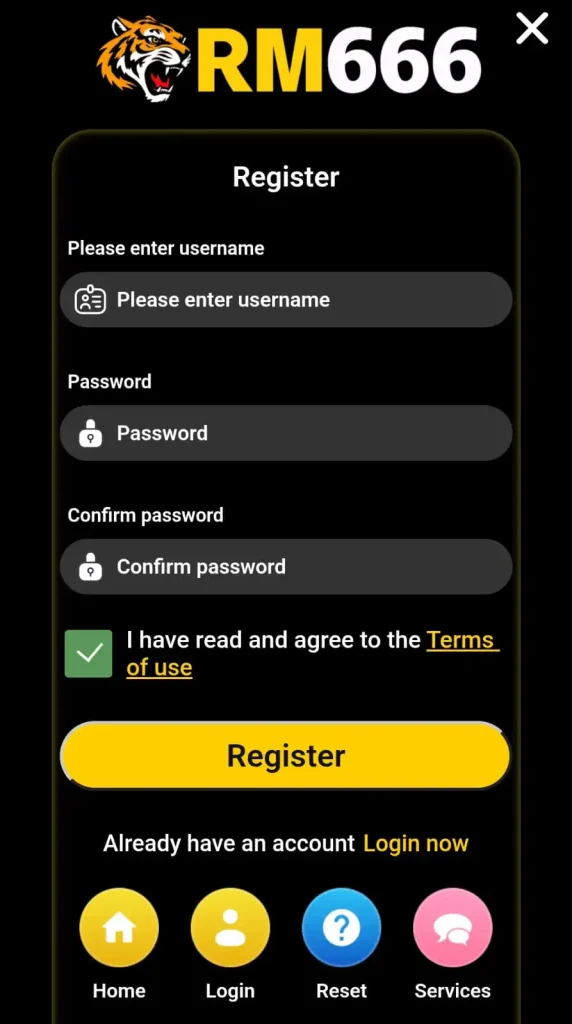
New to RM666 Game? Follow these steps to create your account and get started.
Step 1: Open the RM666 Game App or Website
Open the RM666 Game app on your phone or visit a website you have verified. Once the homepage loads, look for the Register or Sign Up option. Make sure you are using a trusted source before entering any personal information.
Step 2: Tap Register or Sign Up
Tap the registration button to open the sign-up form. This is where you provide the details needed to create your account. Read the instructions on the screen, as the required fields may vary depending on the current registration process.
Step 3: Enter Your Registration Details
Fill in the requested information, such as your mobile number, username, or other account details. Check each entry carefully before moving forward. Using accurate information can make account verification and recovery easier if you encounter problems later.
Step 4: Create a Strong Password
Choose a password that is difficult to guess and is not used for your other accounts. A combination of letters, numbers, and permitted symbols can help strengthen it. Avoid simple passwords based on your name or birthday, and keep your password private.
Step 5: Enter a Referral Code (Optional)
If you have a valid referral code, enter it in the relevant field. Check the form to see whether this step is optional. If you do not have a code, you can leave the field blank if the platform allows it.
Step 6: Complete Verification
RM666 Game may ask you to verify your mobile number or complete an OTP check. If you receive a verification code, enter it only on the registration page you have verified. Never share your OTP with another person, even if they claim they can help activate your account.
Step 7: Submit Your Registration
Review your details and tap Register, Submit, or the button displayed on the screen. Wait for the platform to process your information. If an error appears, read the message and correct the relevant field before trying again.
Step 8: Access Your Account
Once registration is complete, follow the on-screen instructions to enter your account. You may be taken directly to the main page or asked to log in first. Check your profile details and familiarise yourself with the available account options before proceeding.
How to Log in to RM666 Game?
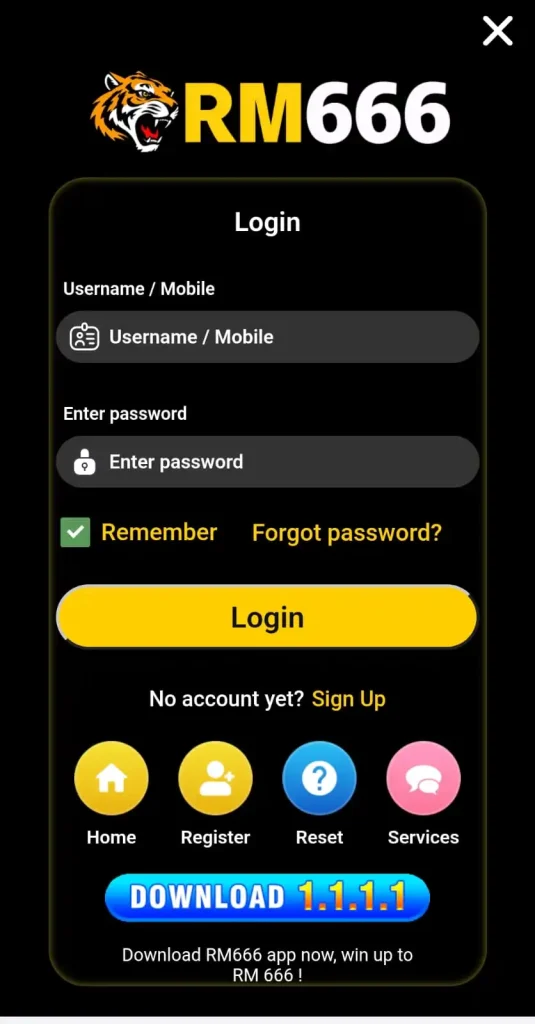
Already have an account? You can skip registration and sign in using your existing login details.
Step 1: Open the RM666 Game App
Launch the installed app or open the website you have verified. Wait for the homepage to load, then find the Login or Sign In button.
Step 2: Select the Login Option
Tap Login to open the sign-in form. Make sure you select this option rather than Register, so you can access your existing account instead of starting a new registration.
Step 3: Enter Your Registered Details
Type the mobile number, username, or login ID associated with your account, depending on what the form requests. Double-check the information for typing errors, missing digits, or extra spaces before continuing.
Step 4: Enter Your Password
Enter the password you created when registering. Pay attention to capital letters and any special characters. If your password is not accepted, check for typing errors rather than repeatedly guessing.
Step 5: Complete Any Security Check
The platform may request an OTP or another verification step before allowing access. Follow the instructions shown on the screen and enter any code only on the verified login page. Keep your password and verification details private.
Step 6: Tap Login
After entering the required details, tap Login or Sign In. Give the platform a moment to process your request. If your credentials are correct and any required checks are complete, you should be taken to your account.
Step 7: Check Your Account
Once logged in, check that your profile and available account features are accessible. If you need to use payment features, review the available methods and requirements before making a transaction.
Common RM666 Game Login Problems and Solutions
Sometimes, a login attempt does not work on the first try. Here are a few common issues and what you can do about them.
| Login Problem | What to Do |
|---|---|
| Incorrect password | Check for typing errors or use the official password recovery option, if available. |
| Forgotten username or login ID | Check your registration details or follow the platform’s account recovery instructions. |
| OTP not received | Check your contact details and mobile signal, then request another code if the platform permits it. |
| App not opening | Check your internet connection and restart the app. |
| Account access restricted | Follow the instructions displayed or contact support through a channel you can verify. |